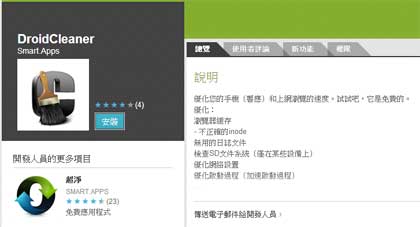
Kaspersky 早前在 Google Play Store 發現兩個惡意 Apps “SuperClean” 和 “DroidCleaner”,最特別之處是它們可一併影響桌面電腦。
這兩個惡意 Apps 其實是同一個惡意程式,只是兩個包裝而矣。它們聲稱可為手機優化,但實際是古惑有問題的,若將受影響手機連接電腦,桌面電腦也可能受影響。
這兩個 Apps 已經被下架,但它的操作方式較特別,在這裏跟大家講解一下。
在 SD Card 加入 autorun.inf
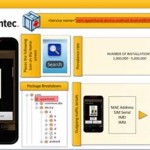
安裝並運行 “SuperClean” 和 “DroidCleaner” 後,它會列出正在運行的程序並會重新啟動它們,這都是正常的。但之後就會從遠端伺服器下載三個檔案並儲存至 SD Card 的根目錄內。
– autorun.inf
– folder.ico
– svchosts.exe
有了 autorun.inf 檔案,若將手機連接至電腦時,電腦就會被自動執行 svchosts.exe 檔案,它就會開啟電腦的咪高峰進行錄音,並將錄音上傳至遠端伺服器。除了錄音,它還有其他的 “功能”。
Sending SMS messages
Enabling Wi-Fi
Gathering information about the device
Opening arbitrary links in a browser
Uploading the SD card’s entire contents
Uploading an arbitrary file (or folder) to the master’s server
Uploading all SMS messages
Deleting all SMS messages
Uploading all the contacts/photos/coordinates from the device to the master
這個惡意 App 古惑之處是為 SD Card 加上 autorun.inf,當手機接上電腦時,若電腦容許 Autorun 自動執行,惡意程式就可運作。
要防範,可將電腦內 Autorun disable (新的 Windows 預設都是 disable 的)。另外,亦可檢視一下手機 sd card 根目錄內有否任何不明檔案如 autorun.inf, .exe 檔案。
資料來源: securelist